I ran bergitup.com on WordPress for years. DreamHost’s DreamPress, the Astra theme, Elementor for page building, Yoast SEO for metadata. It worked. I also did not want to maintain it anymore.
In March I rebuilt the site in Astro across two sessions of Cursor and Claude Code. I deployed it to Netlify, killed every plugin, and got a $160 refund from DreamHost for the unused portion of my annual plan. The new site loads faster, ships SEO programmatically, and lets me update any page, or every page, in one commit.
This is not a universal recommendation. For most small businesses and small teams, WordPress is still the right answer. If you or someone on your team can drive an agentic coding tool, the math tilts the other way.
The Old Stack and What It Was Really Costing
The WordPress side looked like this on paper:
| Layer | Tool | Cost | Notes |
|---|---|---|---|
| Hosting | DreamHost DreamPress | $20 / mo ($240 / yr) | Managed WordPress, autoscaling, backups |
| Theme | Astra Pro | ~$59 / yr | Single-site license |
| Page builder | Elementor Pro | ~$59 / yr | Essential tier, single site |
| SEO | Yoast SEO (free) | $0 | Plugin I used for metadata |
| Total | ~$358 / yr | Before any add-ons |
The sticker price was never the problem. The drag on every edit was the problem. I would open Elementor to nudge one line of copy, wait for the editor to load, wait for the preview, save, wait for the cache to clear, and then find that the mobile view had shifted because a widget lost its breakpoint. Multiply that by every homepage tweak, every service page update, every pricing change. A one-minute edit became a fifteen-minute job.
Plugin updates were the other silent tax. WordPress plugins are a security surface, and every theme and page builder I depended on had its own update cycle. The admin backend is powerful precisely because it is heavy. You are paying for that weight on every page load.
The Rebuild: Two Sessions, $35 to $45 in Tokens
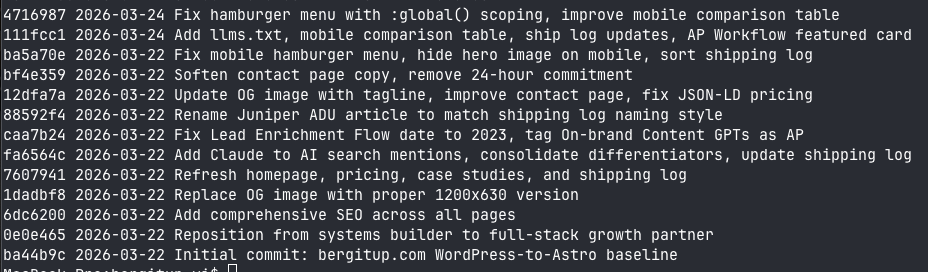
Two focused sessions, back to back. The commit log shows the whole run.
Session one: Claude Code clones the site
I pointed Claude Code at the live WordPress URL and asked it to produce a faithful Astro copy: same layout, same colors, same behavior. About 90 minutes to 2 hours later I had a version I could click through and barely tell apart from the original. Same Berg mascot, same navigation, same page structure. The pages were already noticeably faster because nothing was running a plugin chain on render.
Session two: Cursor makes it actually better
The second session, in Cursor, is where the project stopped being a copy and started being an upgrade. I added the blog, rewrote copy across the site, introduced programmatic SEO via front matter, added Open Graph images, built JSON-LD schema into the templates, and layered in the page animations. The CI/CD loop is now: edit in Cursor, commit to Git, Netlify builds and deploys automatically. Version control on every change, preview deploys on every branch.
Total agent spend across both sessions came to roughly $35 to $45 in tokens. Not a typo. The expensive part of replatforming used to be the labor.
The New Stack and the New Cost
Currently I run on Netlify’s Pro tier at $10 per month because the publishing cadence is high and I am pushing a lot of build minutes. When things taper off, I drop back to the free tier at $0. Even at Pro pricing, the annual stack cost is one third of what WordPress was, and the first year also included the $160 DreamHost refund.
| Layer | Tool | Cost |
|---|---|---|
| Framework | Astro | $0, open source |
| Hosting | Netlify | $0 (free) or $10 / mo (current) |
| Content authoring | Cursor + Markdown + MDX | Part of existing Cursor seat |
| Version control | Git + GitHub | $0 on public repos |
| SEO | Programmatic in front matter | $0 |
| Total | $0 to $120 / yr |
The homepage after the rebuild:

What I Gained
Speed on every edit
I can change a line of copy, search every page that references it, and ship the update in one commit. WordPress’s editor took longer to load than a full Astro deploy takes today.
Programmatic SEO
Every page ships with a title tag, meta description, canonical URL, Open Graph image, and schema. All of it comes from a few lines of config at the top of each page file, not a form inside an admin panel. New pages are optimized on the first deploy.
No plugin security surface
There is no admin panel to harden, no login page to rate-limit, no plugin update to defer because it might break the cart. The site is static HTML on a CDN.
Cleaner animations and modern CSS
Scroll-triggered reveals, hover states, and layout behavior all ship in a few lines of code. On WordPress they would have needed a plugin or a custom child theme.
Real version control
Every change is a commit. I can roll back any edit, branch for experiments, and preview deploys before anything goes live. WordPress has plugins that try to simulate this. They are not the same thing.
What I Lost
The admin backend
This is the whole trade-off. WordPress’s admin is heavy because it lets a non-technical user do everything without touching code. On Astro, every edit happens in Cursor and every publish is a commit. For me, that is faster. For a marketing manager who does not code, it is a full stop.
If your site is edited by someone who should not be in a terminal, Astro is worse for you. Move only if you have someone on the team who works fluently in an agentic coding tool.
Who Should Migrate, and Who Should Not
Migrate if:
- You or a teammate already use Cursor, Claude Code, or a similar agentic coding tool daily
- Your current WordPress site is mostly pages and posts, not e-commerce or user accounts
- Plugin maintenance and admin slowness are the top two pains in your workflow
- You care about programmatic SEO and want every new page correct from deploy one
- You are comfortable with a git-based publishing workflow
Stay on WordPress if:
- Content is owned and updated by non-technical staff
- You depend on WooCommerce, membership plugins, or a complex admin experience
- You need the plugin ecosystem for specific integrations (forms, bookings, LMS, and so on)
- Your team does not have, and is not hiring, an agentic-coding-literate editor
Astro is only “better” when the person actually doing the updates finds it faster. That is a staffing question, not a technology question.
The SEO Question
A bad platform migration can tank organic traffic for months. A few choices kept it safe:
- Every WordPress URL has a matching Astro URL, and the cutover preserved slugs
- Every page ships with a title, description, and Open Graph image from front matter
- JSON-LD schema is rendered into every template, not bolted on per page
- The site is faster, which Google rewards on Core Web Vitals
- Internal linking is explicit in the page files and easy to audit, unlike hunting inside Elementor
I do not have before-and-after Lighthouse scores to share. What I can say: the new site feels instant, the animations are smoother, and new pages get picked up in Google and Perplexity within days of publishing.
The Takeaway
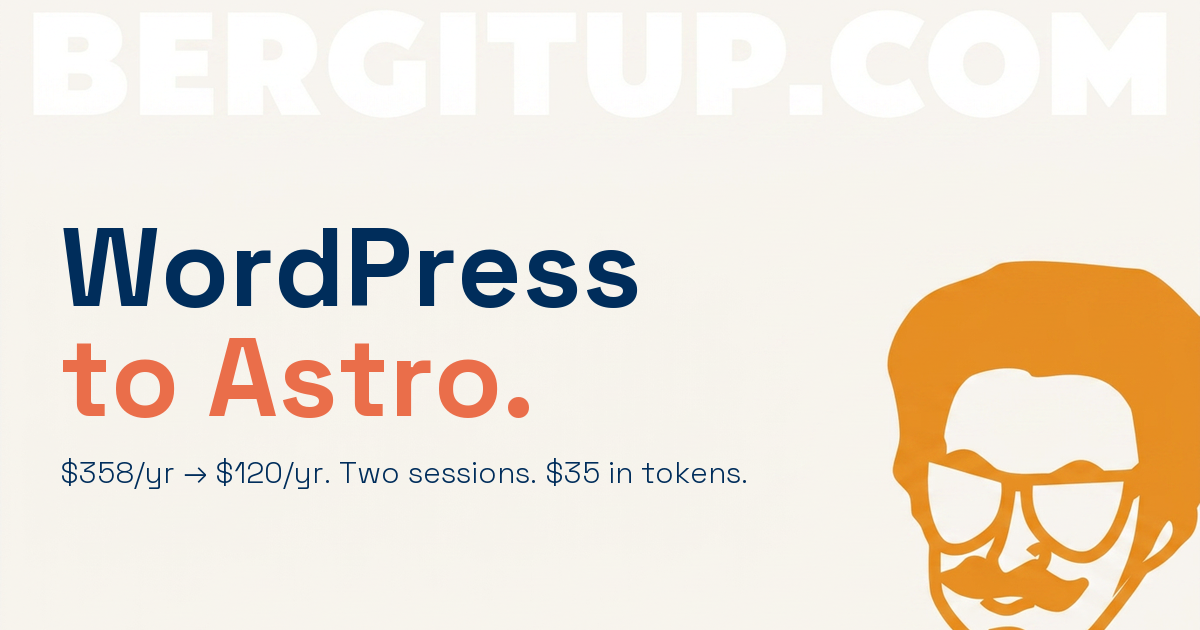
The migration was cheap, fast, and easy to reverse if I had hated it. Two sessions, two to three hours, $35 to $45 in tokens, and a $160 refund on the way out. The Astro stack costs a third of the old one at the high end, and nothing at the low end.
One caveat, and it is the one I keep repeating: this only works if someone on your team can drive an agentic coding tool. If that is you, the migration is one of the best infrastructure moves you can make this year. If it is not, stay on WordPress, or hire someone who can run the playbook for you.
I can run this migration end to end for a team that wants it. Most of the time, though, a replatform is not the biggest lever for a small team. The growth systems you build on top of a fast site usually are: content, SEO, lifecycle, the workflows that move the needle. If you want to figure out where your team actually needs the work, book a fit call and I will tell you straight.