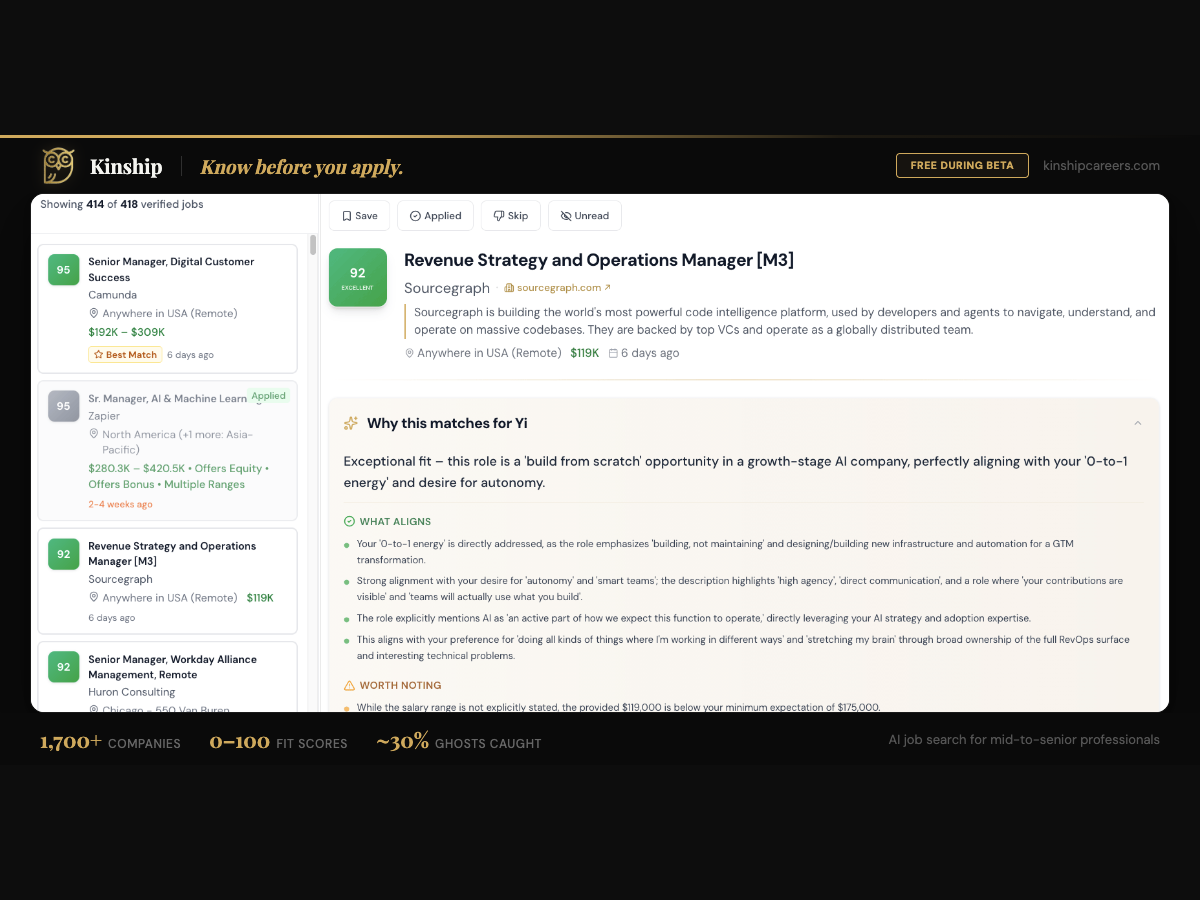
I built Kinship Careers for myself. I was deep in a job search, frustrated by ghost listings and scattered company data, so I built the tool I wanted to exist: a full-stack job board with deep company research, daily job matching, and a ghost job filter that flags about 30% of listings as suspicious. One person, about 27,000 lines of source code (roughly 37,500 total with JSON configs and Markdown docs), 40 working days, zero handoffs.
The Starting Scope and What I Cut
The original vision included personalized matching, deep AI features, a large pool of companies, and a polished mobile experience. Most of that did not make the first release.
I started by pulling jobs through the SERP API, which grabbed listings off Google. Fast results, but I quickly realized I could not guarantee freshness or authenticity. Job boards clone listings, scammers post fake roles, and Google indexes whatever is out there regardless of whether the position still exists. I needed to own the data.
So I rebuilt around custom scrapers that pull directly from company career pages. More work up front, but that decision is what made the ghost job detection possible later. When you control the data source, you know exactly when a job was posted and whether it looks legitimate.
To hit the 40-day deadline, I launched with about 700 companies and 50,000 jobs. I cut the AI features entirely from the first version. The deep company research (“Deep Dive”) and the personalized fit analysis (“Your Advantage”) came weeks after launch. Same with mobile and most of the UX polish you see today.
The rule that made it possible: if a job seeker can find a real job with real company context and apply in under 60 seconds, ship it. Everything else is a post-launch problem.
The Stack and Why
I picked tools that Cursor’s AI models already knew well. The more conventional the stack, the better the generated code.
| Layer | Tool | Why I Picked It |
|---|---|---|
| Framework | Next.js (App Router) | Deepest AI training data, full-stack in one repo |
| Database + Auth | Supabase | Postgres, auth, storage, real-time in one bill |
| Background Jobs | Railway | Cron jobs, workers, simple deploys |
| Resend | Transactional email without the complexity | |
| Error Tracking | Sentry | Catches production errors I would never find manually |
| Analytics | PostHog | Product metrics, user behavior, event tracking |
| Version Control | GitHub | Saved me from Cursor crashes and agent mistakes |
| Agent harness | Cursor | Parallel agents, project-wide rules, the build command center |
Nothing exotic. Funded founders reading this can evaluate fit in 30 seconds. If your stack looks roughly like this, I already know how to build in it.
What AI-Native Development Actually Looks Like
There is a version of this story where AI writes all the code and the founder just prompts. That was not how it went.
I spent less than a week planning before writing a line of code. That planning happened across multiple AI tools, each doing what it does best.
Bergit, 40-day solo build, 2026
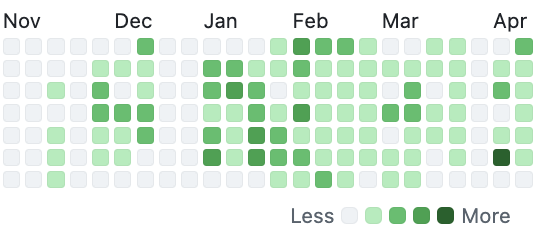
From there, I used a feature roadmap to decide what to tackle and when, based on what was working and what was not. I worked with multiple agents running in parallel, some days pushing 28 commits. Velocity increased as feedback came in from beta testers. That velocity is easier to see on GitHub than in prose. Not every week was a peak, but the commit history is an honest record of when the repo was actually moving.
Cursor handles scaffolding, pattern replication, and repetitive code well. I built one API integration by hand and Cursor replicated the pattern for others with minimal correction. Real time savings on the 80% of code that is structural.
Auth was the first wall. Getting magic link authentication working with Supabase took over a week of back-and-forth because the agent kept passing incorrect parameters. Cursor also crashed between commits twice, which would have been catastrophic without GitHub. More than once, the agent went off course and rebuilt things I did not ask it to touch. Version control saved me every time.
Deeper into the build, I started using Cursor’s more advanced features: skills for repeatable workflows, rules for project-specific coding standards, and the test agent for automated testing between pushes. I also started talking through problems with an audio transcription app and feeding the transcripts directly into Cursor. Talking is faster than typing a spec, and the AI gets more context from a natural explanation than from a bullet list.
By day 40, I was shipping faster than week one. Those habits compounded.
One thing worth adding: Cursor’s planning mode has improved a lot since this build. My workflow looks different now. I start in planning mode, fully spec the feature, then hand it to the agent. That shift alone would have saved a lot of the back-and-forth that defined the early weeks — especially the auth wall.
Day 1. Day 20. Day 40.
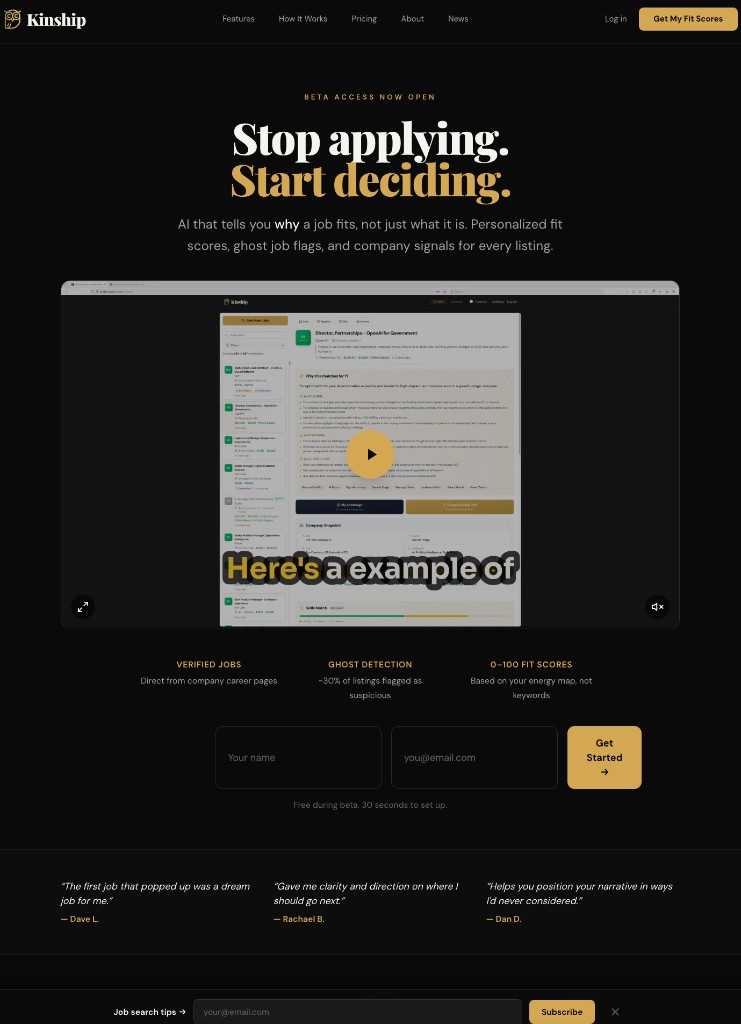
The scope discipline is easier to see in screenshots than in words.
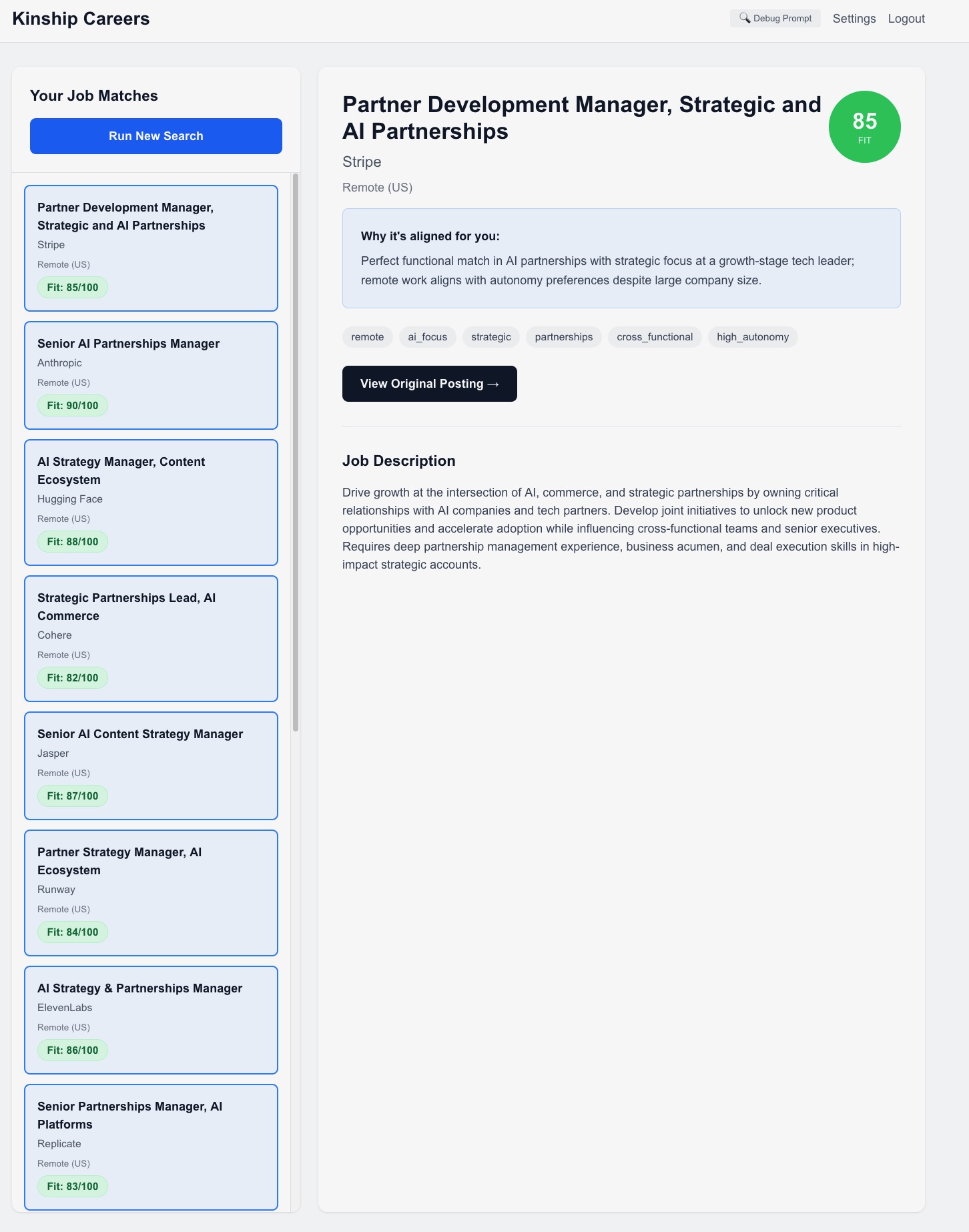
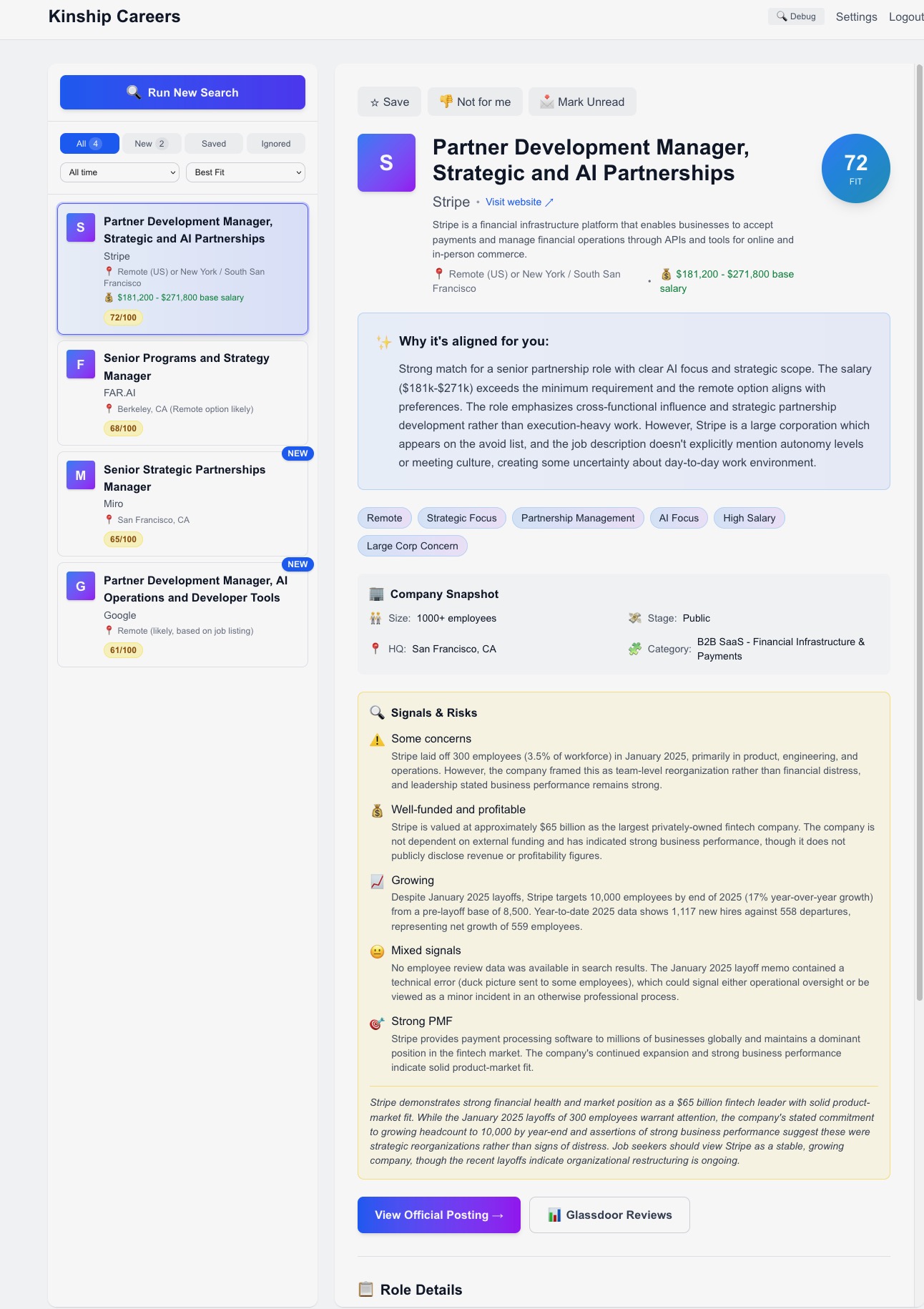
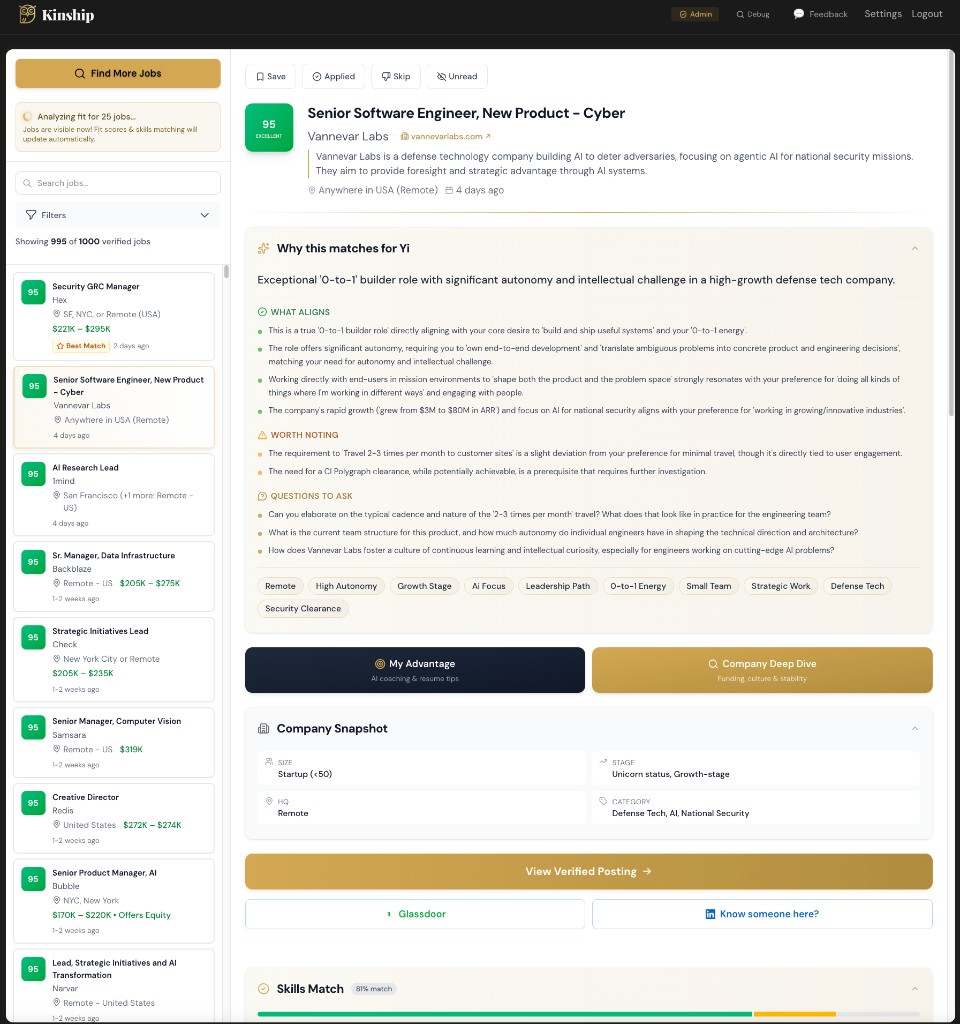
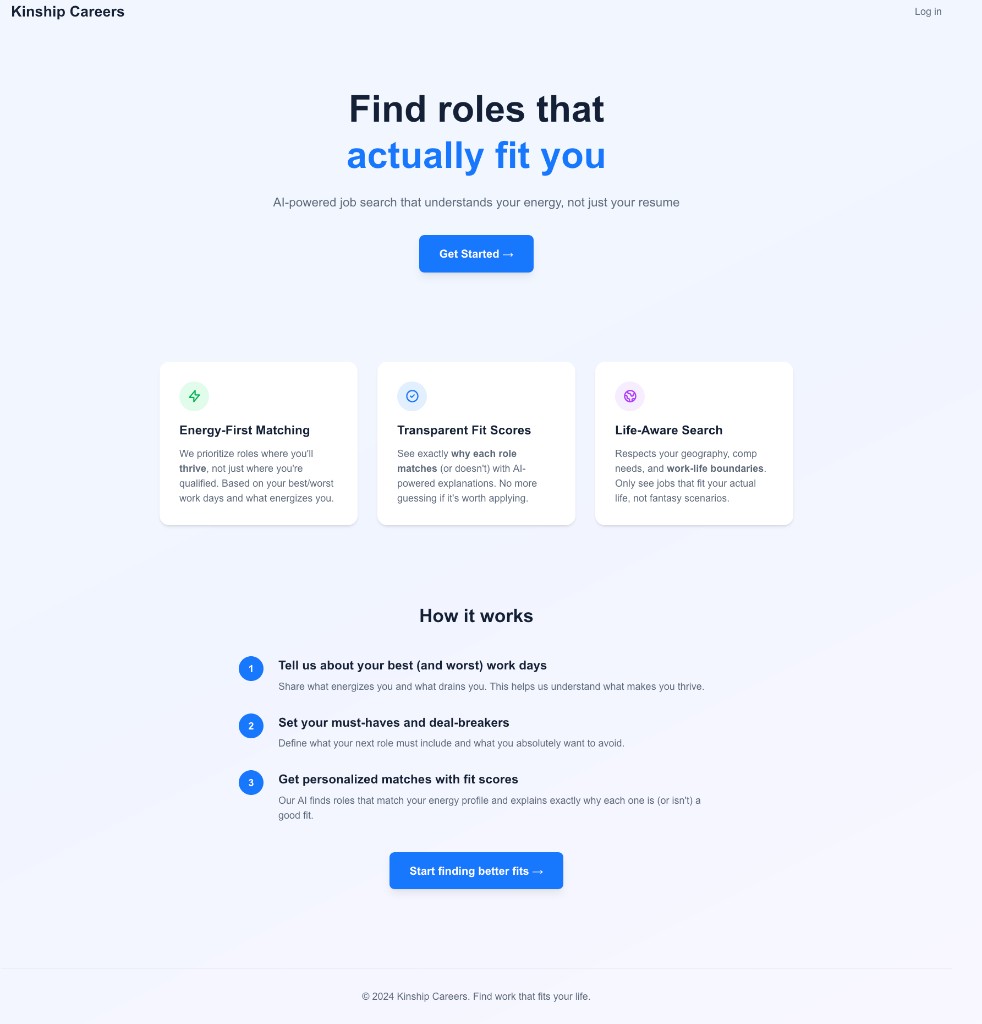
The app UI was not the only thing that changed. The homepage went from “Find roles that actually fit you” to “Stop applying. Start deciding.” That shift came from beta feedback: the people who got the most out of Kinship were evaluating companies, not just applying to them.
What Worked and What Broke
The tight scope worked. Shipping every working day worked. Getting 55 beta testers in early worked, a mix of friends, strangers from the Perplexity fellowship, a media Slack community, and LinkedIn. The strangers gave the most honest feedback.
What broke was mostly everything visible. The first version of the UX was rough enough that early testers had to squint to see the product underneath. Job matching was basic, the onboarding flow confused people, and mobile did not exist. Every problem surfaced because real users told me, not because I found it first.
None were fatal. The scope was tight, I was pushing daily, and each round of feedback pointed at what to fix next.
The No Ghost Jobs Angle
The ghost job filter did not ship until about 20 days after launch. It was on the roadmap from day one, but I prioritized the core experience first.
The problem is real: job seekers waste hours applying to positions that were filled weeks ago, or worse, to scam listings that clone real company postings and harvest personal information. When I scanned 50,000 jobs across 900 companies, about 15,000 came back suspicious. That is roughly 30% of the board.
Owning the data let me do something job board aggregators cannot: verify freshness and legitimacy directly from the source. Indeed and LinkedIn rely on employers to manage their own postings. Kinship checks from the career page itself.
What I Now Do for Every Client Build Because of Kinship
Kinship changed how I scope client work. Five rules came out of it.
Think in systems first
When a client describes what they need, I map it to stacks and patterns I already know work. The fastest path to a shipped product is the one with the fewest unknowns.
Ask why before what
Clarify the goal, the constraint, and what makes this different from what already exists before writing a line of code. Those answers save weeks of wasted effort.
Require a go-to-market plan
Building without a plan to acquire users is the most common way to waste a build budget. I think about distribution as part of the build, not an afterthought.
Build metrics from day one
I added PostHog too late on Kinship and paid for it in guesswork. Now analytics goes in on the first commit. You cannot improve what you cannot see.
Ship imperfect, iterate on feedback
The first version of Kinship looked nothing like what you see today. Getting something real in front of users taught me more in a week than another month of building in isolation would have. People have gotten interviews through Kinship. That only happened because I shipped before it felt ready.
If this sounds like the build you need for your product or growth surface, book a fit call and we can figure out if it is a fit.